They can pass the bar exam, solve quantum physics problems, and write recursive algorithms in Brainfuck. But can they migrate your ESLint config to Biome without nuking your node_modules and your sanity?
That’s the question nobody’s answering.
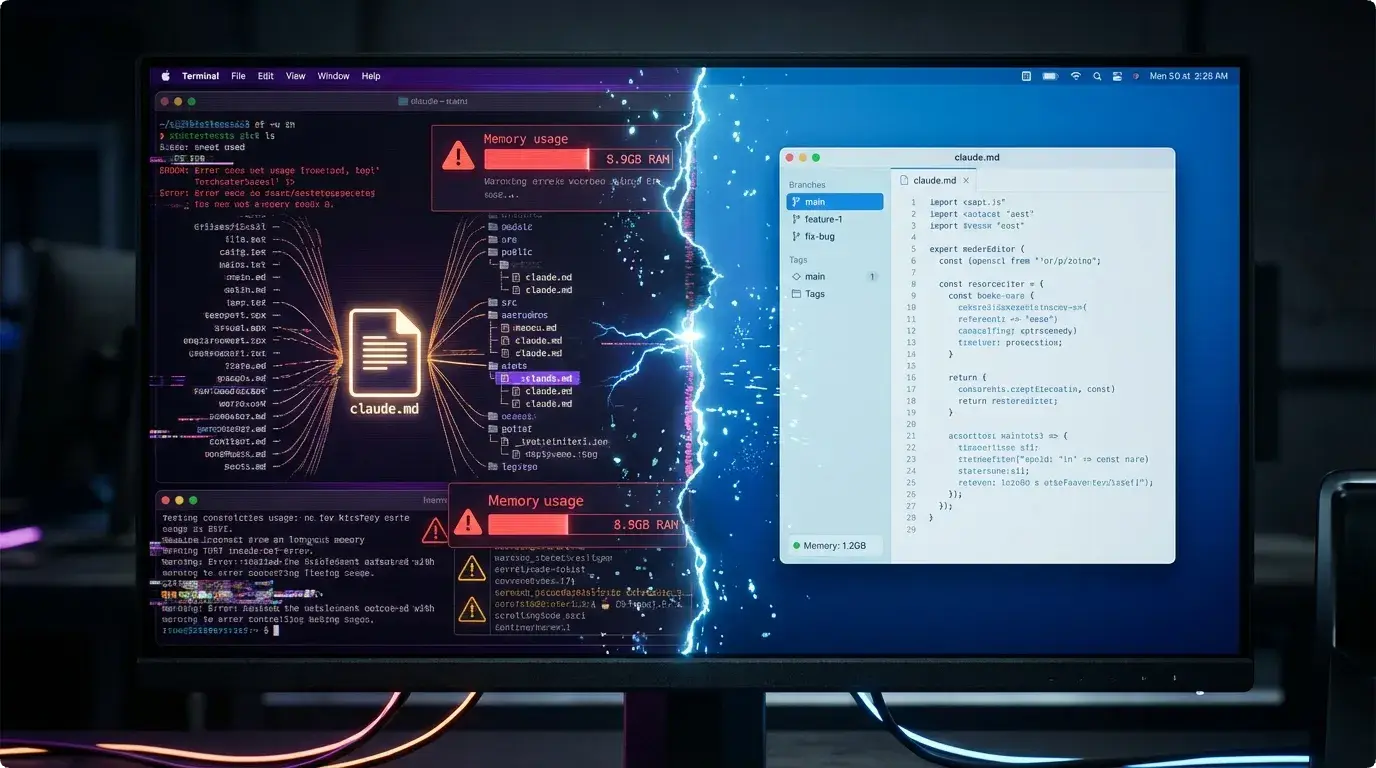
For the last six days, I’ve been running a cage match between Anthropic’s Claude Opus 4.6 and OpenAI’s Codex 5.3 on a real production codebase—Luma, my freelance project. Not toy problems. Not LeetCode hards. Real, messy, “why-is-there-a-console-log-from-2022-in-here” code. I’ve merged pull requests, broken staging, watched RAM usage spike to 9GB, and learned that agentic coding isn’t about intelligence—it’s about behavioral predictability.
Here’s what the benchmarks won’t tell you.
Details
| Dimension | Claude Opus 4.6 | Codex 5.3 |
|---|---|---|
| Interface | Terminal (TUI) Claude Code | Native macOS App GUI |
| Memory Footprint | 8-9GB Leaks Terminal bloat | Stable Process isolated |
| File Strategy | Carpet Bombing Touches everything | Surgical Strikes Targeted grep |
| Planning | Unpredictable Sometimes plans, sometimes YOLOs | Methodical Always plans first |
| Speed | Fast & Chaotic One-shot architect | Slow & Precise Refactoring specialist |
| Best For | Greenfield Features New architectures | Maintenance & Debt Legacy refactoring |
| UI Awareness | Blind Needs screenshots | Blind Needs detailed prompts |
| Prompt Friction | Low Accepts vague requests | High Needs explicit specs |
The Benchmark Trap
We’ve seen the charts. Opus 4.6 crushes SWE-bench. Codex 5.3 dominates multi-file refactoring tasks. Great. But those are sanitized environments with clear success criteria. In the real world, success isn’t just “did it compile?” It’s:
- Did it remember to update the TypeScript interfaces in
types/auth.tswhen it changed the API route? - Did it notice that the new component broke the mobile layout that wasn’t in the prompt?
- Did it spawn 47 parallel processes and turn your MacBook Pro into a space heater?
Spoiler: One of them did all three.
Meet the Contenders: 6 Days in the Trenches
Claude Opus 4.6: The Unpredictable Architect (Terminal-Based)
Opus 4.6 is fascinating—and frustrating. When you kick off a task in Claude Code (their terminal-based TUI), it creates an INIT file, generates a claude.md plan, and then… decides whether your task deserves a plan or not. The logic is inscrutable:
- Small prompt, big feature? It YOLOs the changes across 12 files simultaneously.
- Big prompt, small feature? It writes a 500-word architectural dissertation before changing one line.
The Good: When it locks in, it’s terrifyingly fast. It “one-shotted” a complex admin panel for Luma, generating the routes, database schemas, and UI components in a single pass. Raw power is undeniable.
The Bad: It suffers from rampant parallelism. Opus sees your codebase like a buffet—it wants to touch everything at once. It modified my authentication middleware while “fixing” a CSS bug, introduced a race condition in the Convex hooks, and forgot to update the corresponding Zod schemas.
The model is architecturally ambitious but consistency-blind. It’ll rebuild your API layer while ignoring that you’re still importing the old types in three unrelated dashboard components.
The Ugly: Claude Code has a memory leak that would make a Chrome tab blush. I watched my terminal balloon from 200MB to 8.9GB during a long session. For a tool meant to run alongside Docker, VS Code, and Spotify, that’s a non-starter.
OpenAI Codex 5.3: The Surgical Technician (Native macOS App)
Codex 5.3 behaves differently—and crucially, it lives in a native macOS app, not your terminal. It’s slower, methodical, and almost suspicious of your codebase. Where Opus carpet-bombs, Codex snipes.
The Interface Advantage: Unlike Claude Code’s terminal-based TUI, the Codex App is a proper native macOS application. This changes everything:
- Worktrees are visual. You can see your experimental branches, spin up side-channels for dangerous refactors, and nuke them if they fail—all without touching your main working directory. I didn’t understand worktrees before this. Now I cannot live without them.
- Battery life. It’s not battery-hungry like I feared. It runs cloud-based agents without turning your laptop into a jet engine.
- Process isolation. Because it’s not running inside your terminal emulator, it doesn’t hijack your shell history or spike your terminal’s memory usage.
The Behavioral Shift: The upgrade from 5.2 to 5.3 introduced contextual file targeting. I could ask it to “find all files using the deprecated useAuth hook and migrate them to the new useSession hook,” and it would:
- Grep the codebase intelligently
- Identify only the relevant files
- Edit them without touching adjacent logic
This is huge. I migrated from ESLint to Biome.js (faster linting, native type-checking), removed dead dependencies, and upgraded Next.js across the entire Luma project without a single any type creeping in.
The Good: It respects boundaries. The native app experience means you can CMD+Tab between VS Code and Codex without losing context. It feels like a peer to your IDE, not a parasite inside your terminal.
The Bad: Codex is UI-blind. It struggles with visual consistency. I had to take screenshots of broken layouts, paste them into the chat, and write detailed prompts like “the padding-left on the mobile menu is 4px too wide compared to the design system” to get fixes. It’s not great at “small things”—micro-interactions, responsive edge cases, or pixel-perfect alignment.
The Ugly: It’s prompt-greedy. You can’t vague-post your way to good code. “Fix the login page” gets you nowhere. You need to specify: “Update the LoginForm component to use the new auth service, ensure error handling matches the pattern in RegisterForm, and update the unit tests in __tests__/auth/.” It’s powerful but high-friction.
The Interface Factor: GUI vs. Terminal
Here’s the dirty secret: The model is only 40% of the experience. The other 60% is the container.
I tried Codex 5.3 inside Cursor a few months ago. Hated it. But running it in the native Codex App is a revelation. It’s lightweight, respects your git state, and the worktree integration makes experimental coding feel safe.
Claude Code? It’s terminal-based (TUI), which feels fast and hacker-y, but until Anthropic fixes the memory hemorrhaging, I can’t recommend it for long sessions. I experimented with Conductor (a third-party Claude client), but it’s not there yet.
The paradigm difference:
- Claude Code: Lives in your terminal. Fast input, immediate feedback, but eats RAM for breakfast and lacks visual hierarchy.
- Codex App: Lives in your Dock. Better for long-running tasks, visual file management, and keeping your terminal free for actual Docker/Node processes.
Bottom line: Codex 5.3 in its native macOS app is currently the smoothest agentic experience for sustained work. Opus 4.6 is trapped in a leaky terminal app that sabotages its brilliance.
The Real Crisis: Code Review in the Age of One-Shotting
Both models are getting so fast, so capable, that coding is no longer the bottleneck. Verification is.
When Opus 4.6 or Codex 5.3 “one-shots” a feature, there’s a temptation to just… merge it. Don’t. I’ve caught both models:
- Introducing subtle auth bypasses by forgetting to check
isAdminin new API routes - Duplicating logic that already existed in utility functions they didn’t read
- Using
console.loginstead of the structured logging utility (because the prompt didn’t explicitly say “use the logger”)
The New Skill: You’re not a coder anymore; you’re a code reviewer with a compiler. If you don’t have processes—automated tests, strict TypeScript configs, and a human eye for architectural consistency—these models will write you into technical debt faster than you can say “refactor.”
The Verdict: Pick Your Interface
Choose Claude Opus 4.6 if: You need explosive architectural changes, you’re building greenfield features, you love living in the terminal, and you have the RAM to spare (and the patience to clean up after its tornado of changes). It’s the better thinker but the worse citizen.
Choose OpenAI Codex 5.3 if: You’re maintaining legacy code, need surgical precision, prefer a native macOS GUI over terminal hacking, and value a UI that doesn’t crash your machine. It’s the better worker but requires more hand-holding for creative tasks.
The Honest Truth: Neither is ready to fully autopilot your production codebase. Opus 4.6 will architect you into a beautiful mess. Codex 5.3 will maintain your mess beautifully but won’t notice the house is on fire unless you point at the smoke.
The gap between 5.2→5.3 and 4.5→4.6 is incremental in intelligence but massive in behavioral reliability. We’re not waiting for smarter models; we’re waiting for models that understand when not to touch a file.
My current workflow?
- Codex 5.3 (macOS App) for daily drivers—refactors, dependency updates, targeted features. I keep it open in the background like Slack.
- Opus 4.6 (Claude Code) for weekend experiments where I have time to fix the collateral damage—and only when I can afford to restart my terminal every hour to clear that memory leak.
As I write this, Codex 5.3 is still chugging away on that admin panel analysis in a worktree. It’s been running for 20 minutes. Slow? Yes. But when I come back, I know it won’t have accidentally rewritten my payment processing logic just because the prompt mentioned “admin.”
And in 2026, that’s the feature that actually ships products.
P.S. If you’re still counting tokens and comparing benchmark scores, you’re doing it wrong. The only metric that matters is “how many times did I have to revert main today?” By that standard, Codex 5.3 wins—but barely. Keep your diffs small, your tests running, and your screenshots ready.
What’s your experience with agentic coding? Drop a comment before Claude Code eats all your RAM.
Discussion
Share your thoughts and engage with the community