It started with one message. Typos and all:
“this is my mac and I need an app that can help me check the stats of my laptop — fan speed, temp of each core, average temp… a native app. I have never built an app like this. clean code, clean charts, be a part of the system and not stick out like ‘oh I am an ugly app.’ you have total freedom on tech.”
I want to be straight with you before anything else: I had never built a Mac app in my life. Not a small one, not a toy. Nothing. I live in Django, Next.js, Flutter. AppKit and SwiftUI were a foreign country.
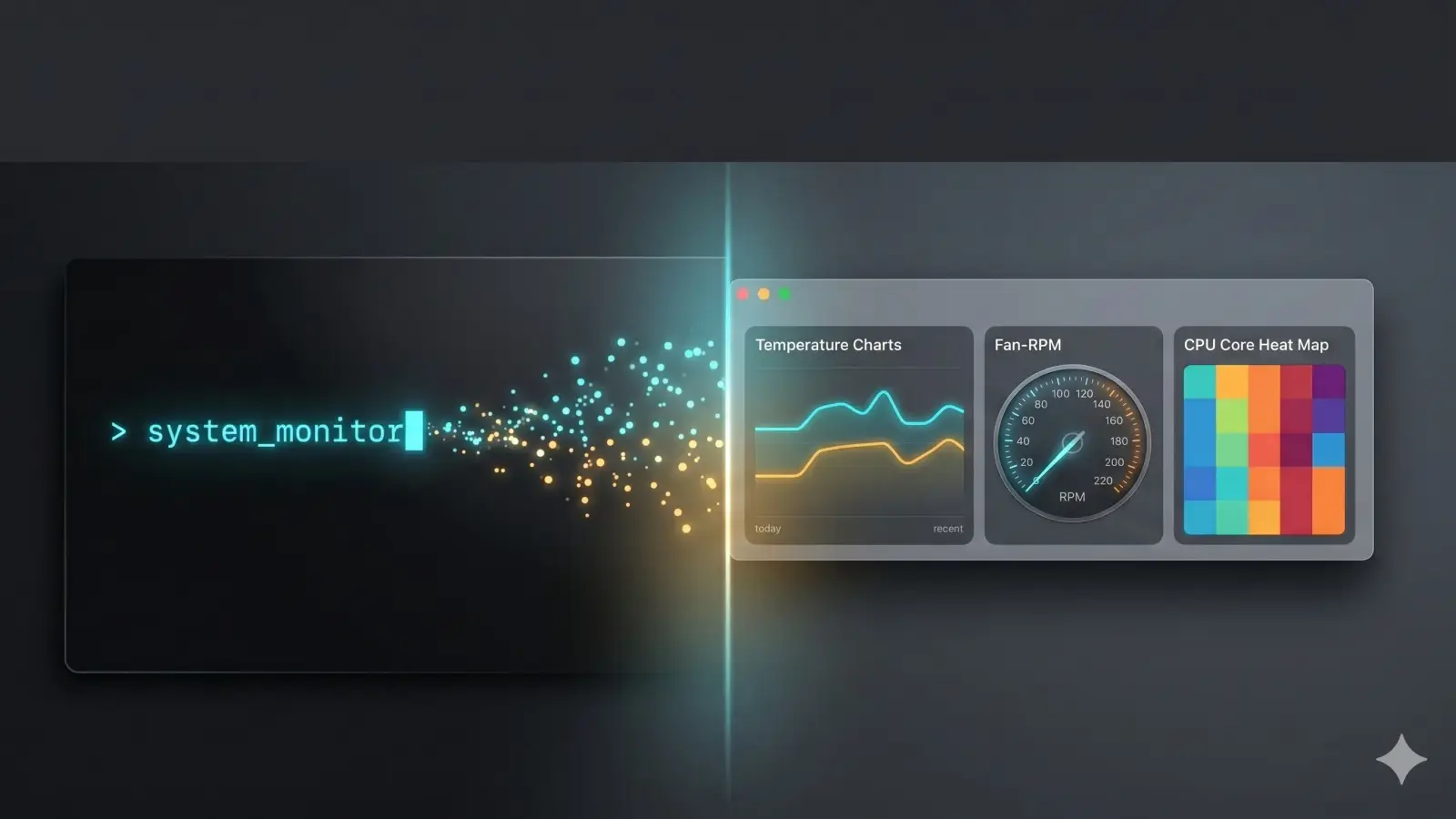
Two days later I had a native macOS system monitor — fan control, app management, storage analysis, desktop widgets, a marketing site, a test-gated release pipeline, an auto-updater, and a Linux port in progress. I called it Vitals, and I now use it instead of Activity Monitor.
This is the story of how that happened — the good decisions, the dumb bugs, and the one moment where the AI model I was building with got pulled out from under me mid-feature. (If you read my last two posts, you already know which model.)
The sentence that decided everything
“Be a part of the system and not stick out.”
That one line made every big technical call for me. It’s why the answer was Swift and SwiftUI, not Electron. Native is the only way to get the system materials, the SF Symbols, the real system fonts, and Apple’s Charts framework — the stuff that makes an app look like Apple shipped it instead of like a web page in a costume. Fan speed and temperatures don’t come from some tidy API either; they come from the SMC (the System Management Controller) and private IOKit HID services.
Within a couple of hours, Vitals was running on my M4: live per-core die temperatures, fan RPM, CPU and memory, thermal pressure — and a little ° readout sitting in the menu bar like it had always been there.
That part was easy. Everything interesting happened after.
The first real bug: an app that ate itself
The early features came fast — a native Settings window, temperature units, refresh rate, chart history, an overheat threshold. Then the app froze the second it launched, pinned at 100% CPU.
The cause is a beautiful little SwiftUI trap. The menu-bar item’s show/hide state was a two-way binding that got written on every scene refresh. It was bound to a published settings property, so every write triggered “settings changed” → re-render everything → write again → forever. The main thread never got a millisecond to handle a click. Which, by the way, is also why the Settings window looked like it wouldn’t open. One bug wearing two disguises.
Break the binding loop, and idle CPU dropped from 100% to about 2%.
That gave me the rule that ran the entire rest of the project: on a monitoring app, the main thread is sacred. Everything that followed — actors, off-main sampling, deferred rendering — traces back to that first humiliation.
Shipping it like a real app, not a binary
I didn’t want a thing that lived in a folder. I wanted the experience of an app. So we built:
- A drag-to-install DMG — mount it, see the icon with an arrow pointing at Applications, drag, done.
- A private repo with CI — and a pleasant surprise: GitHub’s macOS runners can actually build the thing, so there was a real build check from day one.
- A full release + auto-update pipeline: push to main → CI builds, versions, packages the DMG, publishes a GitHub Release → the running app notices, downloads, installs, relaunches. Plus a manual “Check for Updates.”
And one small decision I’m weirdly proud of. The auto-versioner spat out 1.1.1 and I hated it. So I made a call:
the version should just be the number of commits. 10 commits → 0.10.
So the version became the git history itself: 0.$(git rev-list --count HEAD). No version file, no manual bumping, no decision to ever make again. That scheme carried all the way to v0.20 and quietly became load-bearing — you can never switch how you count commits, because the version can’t go backwards or the updater breaks.
The fan-control saga (my favorite fight)
Reading sensors is easy and safe. Writing to hardware is where you respect the machine. Fan control is the one feature that can actually cook your laptop, so it got maximum paranoia.
First attempt: failed with SMC result 130, and worse, a password prompt every single time I moved the slider. I pushed back hard, because that’s obviously broken, and pointed at the open-source reference everyone uses: Mac Fan Control.
Reading how they did it cracked the whole thing open — because there were actually two separate problems hiding as one.
Problem one: the fan never spun at all. result 130 wasn’t a permissions error — the write ran as root and still got rejected. The fan was reporting F0Md = 3, “system mode,” which is the M-series firmware running its own thermal mitigation. And on Apple Silicon, the firmware flat-out refuses a direct “switch to manual” write unless you first flip a hidden diagnostic-unlock key called Ftst. The fix was a little dance: set Ftst=1 to unlock → retry the mode switch → then write the target RPM as an IEEE float (Apple Silicon uses floats; Intel used a different format entirely).
Problem two: the password-every-time thing was an architecture flaw, not a sensor one. The fix was a privileged root LaunchDaemon — a tiny separate process that runs as root, reads a state file, and applies fan settings. The GUI escalates exactly once, at install, and never bothers you again. That daemon is the one component in the whole app that has to be root, and it’s isolated on purpose.
This is also where I locked in the hardest rule in the codebase: clamp to the fan’s rated RPM range, keep macOS’s own thermal safety running underneath you, and never let a hardware write escape its guardrails. Read freely, write carefully.
The moment the model disappeared
Here’s the part that ties this whole thing to my last two posts.
Everything up to now — every feature, every bug above — was built with Claude Fable 5. It was unreal to work with; I wrote a whole love letter about it. The next feature, a Storage tab, kicked off on Fable 5 too.
And then, mid-task, the screen gave me this:
“There’s an issue with the selected model (claude-fable-5). It may not exist or you may not have access to it.”
That was it. That was the moment, from the inside, of the thing I’d written about from the outside — the US government pulling Fable 5. I was halfway through a feature and the best tool I’d ever used simply evaporated under my hands. I tried to resume. Same wall. Again. Same wall.
So I picked the work up on Opus 4.8 and kept going — same branch, same half-finished Storage tab, no lost context. It just… continued. Honestly, that seam is the cleanest illustration I have of where these two models actually differ. Fable let me walk away. Opus is brilliant but wants me in the chair. From the storage feature onward, I was back in the chair — and the app still shipped. Everything from here was built on Opus.
The jank hunt (and the bug I killed by deleting the architecture)
The feature I remember most isn’t a feature. It was a multi-day war against UI jank — that tiny ugly stutter when you open the window or toggle the sidebar. I chased it through five separate causes:
- Switching tabs re-ran everything. The sidebar was destroying and recreating views on every switch, so every visit to the Apps tab kicked off a full disk rescan with a “Scanning…” flash. Fix: hoist the models up so scans survive tab switches.
- The dashboard rebuilt every card, always — including the heavy below-the-fold charts — on every layout. Fix: lazy layout, and batch all the Liquid Glass blur into a single pass instead of N separate backdrop captures.
- Charts have a documented ~50–150ms first-layout hang. Opening a window materializes views; closing only tears them down. That asymmetry was the clue. Fix: animate against placeholders, fade the charts in a beat later.
- Adaptive grids reflow mid-animation. I recorded my screen, pulled the frames apart with
ffmpeg, and watched the die-temperature map snap from 8 → 9 → 6 columns during the sidebar animation. Cause: an adaptive grid. Fix: fixed column counts. - The real villain was the window chrome. Even after all of that, a small window still jerked on open. The culprit was the toolbar — AppKit snaps the toolbar and title into place (it doesn’t animate them) when the sidebar re-anchors. There’s no setting to fix that. You can’t optimize it away.
So I made the call that I think is the single best decision in the project: kill the things that snap. I dropped the standard split-view navigation entirely and rebuilt the whole shell as a stationary header with capsule tabs — Activity Monitor style. No system title bar, no toolbar, no sidebar. The entire class of bug died by construction, not by tuning. The rule it left behind: window geometry must never change from navigation.
That’s the lesson I keep relearning. Sometimes you don’t fix the bug. You delete the thing that makes the bug possible.
Three more war stories, fast
There were too many to tell all of them, but these three earned their place:
The AlDente standoff. Testing the uninstaller, I told it to remove exactly one app — AlDente, nothing else. The confirmation correctly listed only AlDente. I confirmed. Result: “Moved 0 items. 1 couldn’t be removed.” It hadn’t worked — but crucially, nothing else got touched. The diagnosis was sharp: AlDente was installed as root, and macOS App Management protection won’t let an ad-hoc-signed app move another developer’s app. The fix routed protected bundles through the same single admin prompt the rest of the cleanup used. And the part I respect most: when the UI automation got flaky near a destructive click and risked selecting the wrong app, the right move was to stop, not gamble. Write carefully means write carefully.
The 17.5 GB ghost. Someone ran Vitals in a VM and it ballooned to 17.5 GB and went “Not Responding.” Panic. But on real hardware it sat flat at ~135 MB forever, so it wasn’t a leak. The mechanism was the GPU — a VM has none, so SwiftUI renders in software, and Liquid Glass (live backdrop blur) plus constantly-animating charts balloon offscreen buffers when there’s no GPU to lean on. Fix: detect a real GPU and only enable the fancy glass when one exists. Zero change on real Macs. That scare also triggered a full robustness audit — watchdogs, bounded buffers, a battery reader that reports unknown instead of inventing 0%.
Widgets that don’t use WidgetKit. I wanted desktop widgets, but real WidgetKit was a dead end for this app (a macOS 26 loading bug, plus data-sharing needs a paid Team ID the ad-hoc build doesn’t have). So instead the app spawns its own floating desktop panels, bound to the same live data the app already polls — real-time, no extension, no new permissions. Getting them to sit on the true desktop layer and not flicker during a Space switch was its own little obsession. The honest limitation, which I stated plainly: these can never show up in Apple’s official widget gallery. That surface only lists real extensions. No clever hack changes it.
The four principles that actually carried it
Strip away the features and the bugs, and the whole thing ran on four ideas that kept paying for themselves:
Don’t stick out. Native materials, system fonts, the platform’s own idioms. The biggest architecture decision in the project — killing the sidebar — came from refusing to accept chrome that didn’t move the way Apple’s does.
Honesty over decoration. A fan at 0 RPM says 0. A storage category that got cancelled mid-scan reads “Not measured,” never “Empty.” The battery reports unknown rather than a fake 0%. And the day I added crash diagnostics, the privacy policy got rewritten in the same change, because it used to promise “no telemetry” and shipping otherwise would’ve been a lie. The numbers an honest monitor shows you have to be real, or the whole app is pointless.
Read freely, write carefully. Reading sensors is liberal. Every single thing that writes — fan control, deep cleanup, system-level uninstall — got confirmation, re-validation, and reversibility where possible. When automation got shaky near something destructive, stopping was the correct engineering.
Layers that don’t leak. Services know hardware, not UI. Models poll and publish off the main thread. Views only ever display. That clean separation is the only reason the performance fixes were even possible.
And the quietest lesson, the one under all the others: the best debugging in the whole project — the Ftst fan unlock, the App Management standoff, the toolbar snap, the GPU-less VM blow-up — never came from guessing. It came from reading the reference, measuring the real hardware, pulling apart the actual video frames. Then fixing the actual cause.
Where it is now — and it’s yours too
By the end of that two-day sprint, Vitals was around v0.20: a native macOS monitor with fan control, app management and cleanup, storage analysis, desktop widgets, opt-in crash diagnostics, an auto-updater, a marketing site, a test-gated release pipeline, and a read-only Linux port (Rust + GTK4) in progress. It hasn’t stopped since — as I write this it’s on v0.26, because the version is still just the commit count and the commits keep coming.
Here’s the part I didn’t plan on when I started: I open-sourced the whole thing. The Swift app and the website live in one public monorepo under the GPL-3.0 license. Free, Apple Silicon only, no account, no catch.
- 🔗 Site & download: vitals.rafay99.com
- ⬇️ Direct DMG: grab the latest release — requires macOS 15 or later, Apple Silicon
- 💻 Source: github.com/rafay99-epic/Vitals
A word on the boring-but-important stuff, because “honesty over decoration” applies to more than charts. Vitals is privacy-respecting by default: no usage tracking, no analytics on what you do, nothing quietly phoning home about your machine. The only telemetry is opt-in crash and performance diagnostics that stay off until you switch them on — and the day I added even that, I rewrote the privacy policy so it matched reality instead of promising something it no longer did. The terms and the full GPL license sit right there in the open. Read them, fork it, tear it apart — that’s the whole point.
The credit is in the open too: the cleanup engine is informed by Mole (also GPL-3.0), and the SMC fan-control breakthrough came from studying Mac Fan Control. No code copied from either — but their work unlocked mine, and they’re named in the README, the source, the site, and the app’s About screen.
It was built across two days, two models, and one stubborn refusal to let it “stick out.”
I built a thing I genuinely use, in a language and a platform I’d never touched, by treating the model like a very fast junior engineer who needed a real architect making the calls — which is to say, by staying in the chair and arguing with it when it was wrong. The version is just the commit count. It’s climbing.
More soon. If you want the build details on any one of these fights — the fan daemon, the desktop-layer widgets, the test gating — tell me and I’ll do a deep-dive post on it.
Stay sharp out there. 👋
Discussion
Share your thoughts and engage with the community