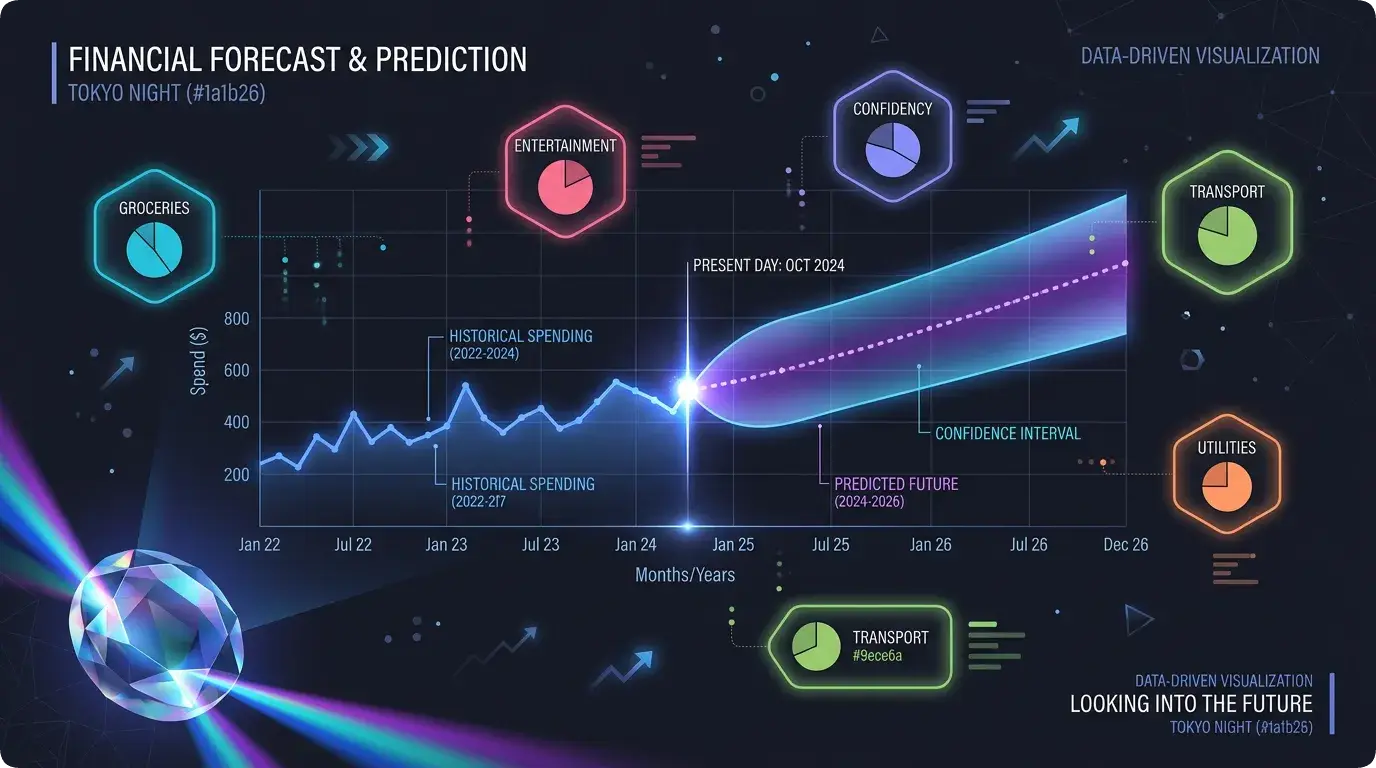

“Hey, based on your spending patterns, you’ll probably spend about $2,300 next month.”
That’s the dream feature, right? An app that doesn’t just show you what you did spend, but tells you what you will spend. Fortune-telling for your wallet.
When I decided Lumo needed spending predictions, I thought it’d be a fun weekend project. Pull some transaction data, calculate an average, show a number. How hard could it be?
(If you’ve been reading this series, you know that question always precedes suffering.)
Turns out, building predictions that are actually useful — not just technically correct — is a whole different game. And I ended up building two different models before landing on something I was happy with.
Model V1: The “Just Average It” Approach
Let’s start with the obvious: take the last few months of spending, calculate the average, call it a prediction.
// V1: Simple weighted average
function predictSpendingV1(transactions: Transaction[]): number {
  const monthlyTotals = groupByMonth(transactions);

  // Weight recent months more heavily
  let weightedSum = 0;
  let weightTotal = 0;

  monthlyTotals.forEach((total, index) => {
    const weight = index + 1;  // More recent = higher weight
    weightedSum += total * weight;
    weightTotal += weight;
  });

  return weightedSum / weightTotal;
}
This… works. Sort of. If you spend roughly the same amount every month, the prediction is fine. But here’s what it gets wrong:
It ignores spending patterns. You spend more on weekends. You spend more at the beginning of the month. V1 doesn’t care — it’s all just one big average.
One big purchase ruins everything. Buy a laptop in March, and V1 thinks you buy a laptop every month. The average shoots up and stays up for months.
It has no concept of categories. Your grocery spending is stable. Your entertainment spending is wild. V1 mashes them together and gives you a number that’s useful for neither.
V1 was the prototype. It proved the concept — users liked seeing predictions. But the numbers were often just… off. Off enough that people didn’t trust them.
Model V2: Getting Smarter
V2 was a complete rewrite with three big improvements: category-level predictions, day-of-week awareness, and recency decay.
Category-Level Predictions
Instead of predicting total spending as one number, V2 predicts each category separately:
// V2: Category-aware prediction with recency weighting
function predictByCategory(
  transactions: Transaction[],
  months: number = 6
): CategoryPredictions {
  const categories = groupByCategory(transactions);
  const predictions: CategoryPredictions = {};

  for (const [category, txns] of Object.entries(categories)) {
    const monthlyTotals = groupByMonth(txns);

    // Apply exponential decay — recent months matter more
    const DECAY_FACTOR = 0.8;
    let weightedSum = 0;
    let weightTotal = 0;

    monthlyTotals.forEach((total, monthsAgo) => {
      const weight = Math.pow(DECAY_FACTOR, monthsAgo);
      weightedSum += total * weight;
      weightTotal += weight;
    });

    predictions[category] = {
      predicted: weightedSum / weightTotal,
      confidence: calculateConfidence(monthlyTotals),
      trend: detectTrend(monthlyTotals),
    };
  }

  return predictions;
}
That DECAY_FACTOR = 0.8 is key. It means last month’s data has weight 1.0, two months ago has weight 0.8, three months ago has 0.64, and so on. Recent behavior matters most, but older patterns still contribute.
Why 0.8? Honestly, I tested a bunch of values. 0.5 was too aggressive — it basically only looked at the last month. 0.9 was too slow to react to changes. 0.8 felt right. It’s not scientific, but it works in practice.
Day-of-Week Awareness
Here’s something interesting about spending: people spend differently on different days. Mondays are light (still recovering from the weekend). Fridays and Saturdays are heavy (going out, shopping, treating yourself).
V2 builds a day-of-week spending profile:
// Build a spending profile per day of week
function buildDayOfWeekProfile(
  transactions: Transaction[]
): DayProfile[] {
  const dayTotals = Array(7).fill(0);
  const dayCounts = Array(7).fill(0);

  for (const txn of transactions) {
    const day = new Date(txn.date).getDay();
    dayTotals[day] += txn.amount;
    dayCounts[day] += 1;
  }

  return dayTotals.map((total, day) => ({
    day,
    avgSpending: dayCounts[day] > 0
      ? total / dayCounts[day]
      : 0,
  }));
}
This profile feeds into the daily forecast. When you look at Lumo’s prediction chart, it doesn’t show a flat line — it shows estimated spending per day, with weekends typically higher than weekdays. It feels more realistic because it is more realistic.
Confidence Intervals
A single prediction number is almost guaranteed to be wrong. So V2 also outputs a range:
// Calculate prediction confidence interval
function calculateConfidenceInterval(
  monthlyTotals: number[]
): { low: number; high: number; confidence: number } {
  const mean = average(monthlyTotals);
  const stdDev = standardDeviation(monthlyTotals);

  // 80% confidence interval
  const margin = stdDev * 1.28;

  // Confidence score (0-1) based on data consistency
  const cv = stdDev / mean;  // Coefficient of variation
  const confidence = Math.max(0, 1 - cv);

  return {
    low: Math.max(0, mean - margin),
    high: mean + margin,
    confidence: Math.round(confidence * 100) / 100,
  };
}
So instead of saying “You’ll spend $2,300,” Lumo says “You’ll likely spend between $2,100 and $2,500, and we’re 72% confident about this.” The range manages expectations. The confidence score tells users how much to trust the prediction.
Low confidence? You’ll see a message: “We don’t have enough data yet for accurate predictions. Keep tracking for a few more weeks!” Because a bad prediction is worse than no prediction.
Data Quality: The Unsung Hero
Here’s something nobody talks about when building prediction features: most users don’t have enough data for predictions to work.
A brand new user has zero transactions. You can’t predict from nothing. Even after a week, you’ve got maybe 15 data points — not enough for category breakdowns or day-of-week profiles.
I set minimum thresholds:
const MIN_TRANSACTIONS = 10;
const MIN_MONTHS_DATA = 2;
const MAX_TRANSACTIONS = 2000;  // Cap for performance

function canGeneratePrediction(
  transactions: Transaction[]
): DataQualityResult {
  if (transactions.length < MIN_TRANSACTIONS) {
    return {
      canPredict: false,
      reason: "Need at least 10 transactions"
    };
  }

  const monthSpan = getMonthSpan(transactions);
  if (monthSpan < MIN_MONTHS_DATA) {
    return {
      canPredict: false,
      reason: "Need at least 2 months of data"
    };
  }

  return { canPredict: true };
}
The MAX_TRANSACTIONS = 2000 cap is also important. Loading 10,000 transactions into memory for a prediction calculation would tank performance. 2,000 covers roughly 6 months of heavy spending (about 11 transactions per day), which is more than enough signal.
Caching: Because Predictions Are Expensive
Running the prediction algorithm on every page load would be absurd. The calculation touches potentially thousands of transactions, does statistical analysis, builds category breakdowns, and generates daily forecasts. That’s heavy.
So predictions are cached:
predictionCache: defineTable({
  userId: v.id("users"),
  monthlyTotal: v.float64(),
  categoryBreakdown: v.array(v.object({
    category: v.string(),
    predicted: v.float64(),
    confidence: v.float64(),
  })),
  dailyForecast: v.array(v.object({
    date: v.string(),
    predicted: v.float64(),
  })),
  confidenceInterval: v.object({
    low: v.float64(),
    high: v.float64(),
    confidence: v.float64(),
  }),
  modelVersion: v.string(),
  generatedAt: v.string(),
  expiresAt: v.string(),
})
Cache lifetime is 24 hours. When you add a new transaction, the cache is invalidated so the next prediction request triggers a fresh calculation. But if you’re just browsing the app without changes, you get the cached version instantly.
// Get prediction — from cache or fresh
export const getPrediction = query({
  handler: async (ctx) => {
    const userId = await getAuthenticatedUserId(ctx);

    // Check cache first
    const cached = await ctx.db
      .query("predictionCache")
      .withIndex("by_user", (q) => q.eq("userId", userId))
      .first();

    if (cached && !isExpired(cached.expiresAt)) {
      return cached;
    }

    // Generate fresh prediction
    const transactions = await getRecentTransactions(
      ctx, userId, MAX_TRANSACTIONS
    );

    const quality = canGeneratePrediction(transactions);
    if (!quality.canPredict) {
      return { status: "insufficient_data", reason: quality.reason };
    }

    const prediction = generatePrediction(transactions);

    // Cache for 24 hours
    await cachePrediction(ctx, userId, prediction);

    return prediction;
  },
});
The Insights Layer
Raw numbers are boring. Nobody looks at “$2,300 predicted” and gets excited. What makes predictions useful is context.
So V2 generates insights alongside the prediction:
function generateInsights(
  prediction: Prediction,
  currentCycleState: CycleState
): Insight[] {
  const insights: Insight[] = [];

  // Are they on track to overspend?
  const daysLeft = daysRemainingInCycle(currentCycleState);
  const projectedTotal = projectFromCurrentSpending(
    currentCycleState.totalSpending, daysLeft
  );

  if (projectedTotal > currentCycleState.budget * 1.1) {
    insights.push({
      type: "warning",
      message: `At your current pace, you'll exceed your budget by ~$${
        Math.round(projectedTotal - currentCycleState.budget)
      } this cycle.`,
    });
  }

  // Category with biggest increase
  const biggestIncrease = findBiggestCategoryChange(prediction);
  if (biggestIncrease && biggestIncrease.changePercent > 20) {
    insights.push({
      type: "info",
      message: `Your ${biggestIncrease.category} spending is trending ${
        biggestIncrease.changePercent
      }% higher than usual.`,
    });
  }

  // Weekend vs weekday spending ratio
  const weekendRatio = prediction.weekendSpending /
    prediction.weekdaySpending;
  if (weekendRatio > 2.0) {
    insights.push({
      type: "tip",
      message: "You spend more than twice as much on weekends vs weekdays. Budgeting for weekends separately might help.",
    });
  }

  return insights;
}
These insights turn a prediction from “here’s a number” into “here’s what that number means for you.” That’s the difference between a feature people glance at and one they actually use.
Model Switching: The Admin Superpower
Here’s something fun — both V1 and V2 still exist in the codebase, and the admin dashboard can toggle between them:
predictionModelConfig: defineTable({
  activeVersion: v.union(
    v.literal("v1"),
    v.literal("v2")
  ),
  updatedAt: v.string(),
  updatedBy: v.id("users"),
})
Why keep V1 around? A/B testing. If V2’s predictions are consistently off for certain user patterns, I can flip back to V1 while I fix the issue. The admin dashboard also shows prediction accuracy metrics — comparing what was predicted vs what actually happened.
There’s even a bulk recalculation function that regenerates predictions for all users when switching models. It caps at 100 users per run to avoid timeouts, which means a model switch for 500 users takes about 5 runs (one every hour via cron). Not instant, but safe.
What I Wish I Knew Before Starting
Start simple, then add complexity. V1 was ugly but it proved users wanted predictions. Without that validation, V2 would’ve been wasted effort.
Confidence matters more than accuracy. Users tolerate predictions that are “close enough” — but they lose trust instantly if you show a prediction with no indication of how reliable it is. Always show the confidence level.
Data quality checks are mandatory. A prediction based on 3 transactions is worse than no prediction. Gate the feature behind minimum data thresholds.
Cache aggressively. Predictions don’t need to update in real-time. 24-hour caching with invalidation on new transactions is more than fresh enough.
Insights beat numbers. “You’ll spend $2,300” is information. “You’re on track to overspend by $400 this month” is actionable. Always prefer actionable.
The prediction engine is probably the most “wow factor” feature in Lumo. It’s the one people are most impressed by when I demo the app. But under the hood, it’s really just statistics and good UX — no neural networks, no GPT, no black magic. Just math with empathy.
Next up: I’m going to walk through the React Native mobile app architecture — how I structured screens, hooks, and components for a finance app that needs to feel fast and reliable on every tap.
Until then, may your predictions be accurate and your spending stay under budget. 📊
Discussion
Share your thoughts and engage with the community