cvx - Convex Account Switcher
A zero-dependency CLI that runs multiple Convex accounts across multiple projects at once — link a folder to an account once, and the right account activates automatically the moment you cd in. No logins, no deploy keys, no secrets in your repos.
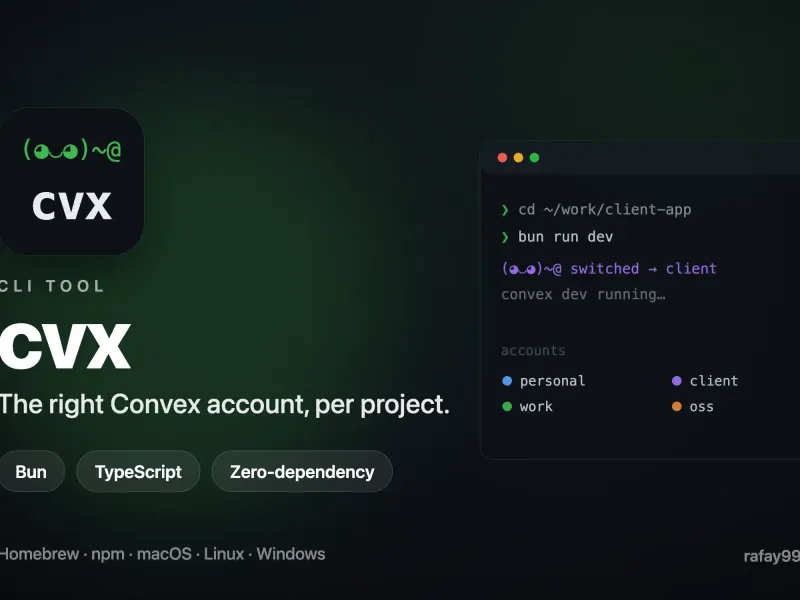
Project Overview
The Convex CLI only remembers one logged-in account at a time — it lives in a single global file, ~/.convex/config.json. If you juggle several Convex accounts (personal, work, clients) across many projects, that means constant convex logout / convex login churn every time you switch projects, and you can never run two accounts’ projects side by side.
cvx (Convex Switch) removes that friction entirely. You log into each account once, tag it, and bind your projects to accounts. From then on the correct account is selected automatically per project — no manual switching, no deploy keys, and no tokens sitting inside your repositories. It turns “which account am I on right now?” into a non-question.
The One Trick
The Convex CLI decides which account you are by reading that single global file. cvx keeps a private vault of your account tokens and a map of project → account. A shell hook calls cvx activate on every cd and re-checks at the prompt, so a second terminal that swapped the global file gets noticed — with a spawn-free freshness check that runs nothing on a normal prompt.
Because a running convex dev caches its deployment credentials at startup, swapping the global file afterwards doesn’t disturb sessions already running — which is what makes true simultaneous multi-account work possible. Start five or six projects in five or six terminals; each grabs its own account as it launches and they all run at the same time. The hook binds the account per shell session by exporting CONVEX_OVERRIDE_ACCESS_TOKEN (which the Convex CLI reads above the global config), with the global file swapped as a fallback for tools not running under a hooked shell.
Vex, the Account Chameleon
The mascot is Vex, a chameleon that changes color to match its surroundings — just as cvx changes your account to match your project. Every account gets a stable color of its own, used across accounts, ls, and switch messages, so you learn to recognize where you are at a glance. Vex wears the active account’s color and her face reacts to what’s going on: happy when the right account is active, alarmed when the project’s team doesn’t match, asleep when the encrypted vault is locked.
Distribution
Written in TypeScript on Bun with zero runtime dependencies, bundled with esbuild into prebuilt binaries for macOS (arm64/x64), Linux (arm64/x64), and Windows (x64). It ships the esbuild way — per-platform packages carry the binary, gated by os/cpu, and a tiny launcher execs it, so it works under bun add -g and --ignore-scripts too.
brew install rafay99-epic/apps/cvx
cvx hook --install   # wires the cd-hook into your shell (zsh, bash, or PowerShell)
Auto-switching works on zsh, bash, and PowerShell; cvx hook --install detects your shell and wires the hook into the right startup file.
License
Open source. © Syntax Lab Technology / Abdul Rafay (rafay99.com).