Wryte - Collaborative Markdown Editor
Cloud-based collaborative editor for Markdown writers with a custom GitHub-to-Convex sync engine, scheduled publishing via durable workflows, and multi-provider AI writing assistance.
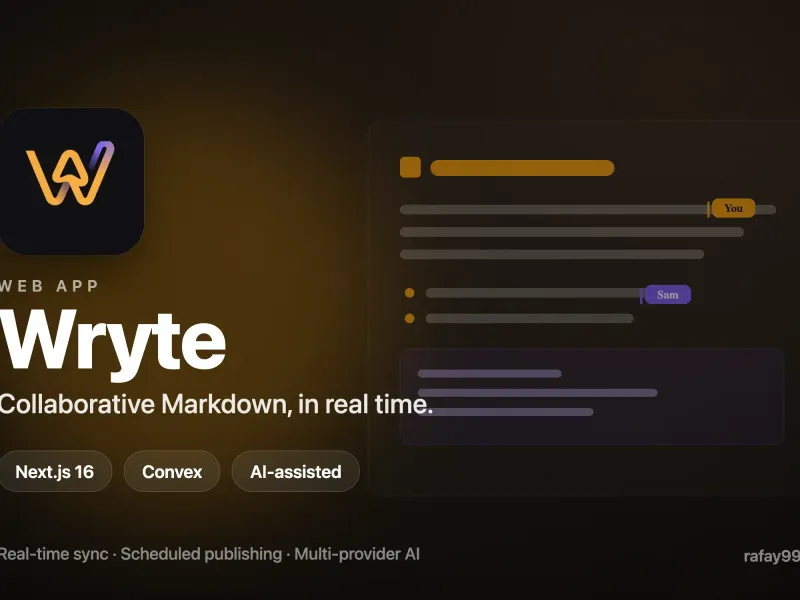
Project Overview
Wryte is a cloud-based collaborative editor I built to solve a problem I kept running into with my own publishing workflow on rafay99.com. Every Markdown tool I tried either locked content into a proprietary format or treated the Git repository as an afterthought. I wanted an editor where the GitHub repo remained the single source of truth for published content, but the editing experience felt like a modern real-time app rather than a text file in VS Code.
The result is a Next.js 16 application backed by Convex that lets writers sign in with GitHub or Google, pull repository content into a unified workspace, co-edit documents in real time, run AI-assisted grammar and rewriting passes, and schedule posts for future publication. The hard part was not any individual feature but keeping two fundamentally different data stores in lockstep without data loss.
The Sync Engine
The core technical challenge behind Wryte is a custom bidirectional sync layer that bridges a GitHub repository with a Convex real-time working layer. Documents live in Convex while writers edit them, which gives Convex’s subscription system the ability to push changes to every connected client instantly. But when a document is published, it needs to land in the writer’s GitHub repo as a proper commit with YAML frontmatter, not as some opaque API payload.
The sync engine handles this in several stages. First, it assembles the final Markdown file by merging the document’s content with its frontmatter metadata, escaping special characters in YAML values and respecting each project’s custom frontmatter schema. Then it scans the Markdown body for any images that were uploaded to Convex storage during editing. For each one, it downloads the binary from Convex’s CDN, base64-encodes it, and uploads it to GitHub using Octokit’s content API with SHA-based conflict detection. If a file already exists at that path, Octokit returns the existing SHA and the engine performs an update instead of a create. Once each image lands in GitHub, the engine rewrites the corresponding URL in the Markdown from the temporary Convex CDN address to the permanent GitHub path, then deletes the image from Convex storage to keep costs down. If an individual image upload fails, the original Convex URL stays in the Markdown so the content still renders from the CDN as a graceful fallback.
This two-stage media strategy means that while a document is in draft or review, all its images live in Convex storage where they are easy to manage, preview, and delete. Images only migrate to GitHub at publish time, which prevents half-finished drafts from polluting the repository with orphaned assets.
Scheduled Publishing
Publishing is not a simple API call. It is orchestrated through Convex’s durable workflow system, which replaced an earlier cron-based approach. When a writer schedules a document for a future date, Wryte creates a workflow instance that sleeps until the target timestamp, marks the publish as “processing,” executes the GitHub sync action with automatic retries on failure (three attempts with exponential backoff at five, ten, and twenty seconds), and then marks the job as completed or failed. If the Convex server restarts mid-workflow, execution resumes from the last completed step rather than starting over. This eliminates the polling overhead and race conditions that plagued the original cron implementation.
Every publish also writes a full snapshot of the document content and frontmatter to a publish history table, which powers one-click rollback to any previous version. Bulk publishing batches multiple documents under a single batch ID so writers can ship an entire content calendar in one action and roll it back atomically if something goes wrong.
AI Writing Assistance
Wryte integrates three AI-powered features, all of which stream their output to the client in real time through Convex’s persistent text streaming component. The first is full-document enhancement, where the AI receives the entire Markdown body and returns an improved version that preserves the author’s voice while fixing grammar, tightening prose, and improving flow. The second is inline transformation, where the writer selects a passage and provides a custom instruction like “make this more concise” or “rewrite for a technical audience.” The third is frontmatter suggestion, where the AI reads the document content along with the project’s frontmatter schema and generates SEO-optimized metadata including title, description, tags, keywords, and excerpt.
All three features support multiple providers through an abstraction layer. The Anthropic SDK handles Claude requests directly, the OpenAI SDK handles OpenAI requests, and OpenRouter requests reuse the OpenAI client with a base URL override and custom headers. The choice of provider and model is configurable per project, which means a writer can use Claude Opus for long-form editorial work on one project and a cheaper model for quick grammar passes on another. Every AI operation is rate-limited per user through Convex’s rate limiter component.
The Editor
The editor itself is a clean textarea-based Markdown editor rather than a heavy rich-text framework. State management is split between Zustand for UI-local state like the current view mode, sidebar visibility, and focus mode, and React Query for server state synchronization with Convex. The editor context provides low-level text manipulation utilities like insert-at-cursor, wrap-selection, and replace-range that operate through the browser’s native setRangeText API, which preserves the undo stack so Ctrl+Z works correctly even after programmatic insertions.
Autosave fires 2.5 seconds after the last keystroke via a debounced hook that only writes to Convex if the dirty flag is set. A toolbar provides over 25 formatting actions including headings, bold, italic, links, code blocks, blockquotes, and lists, all wired to keyboard shortcuts. The inline AI feature is triggered via Cmd+J, which opens a popover for the writer to type a custom instruction that gets applied to the current selection.
Project Organization
Beyond the editor, Wryte provides a project management layer. Each project maps to a GitHub repository and stores configuration for content paths, media paths, branch, AI provider and model, custom frontmatter schema, commit message templates, and filename patterns. Documents within a project can be organized through a Kanban board with custom columns (implemented via dnd-kit for drag-and-drop), a calendar view showing scheduled publishes on a timeline, and a tag-based filtering system. The Kanban columns are stored as a JSON field on the project record, so each project can define its own workflow stages.
Authentication and Authorization
Authentication runs through Clerk with JWT verification on the Convex side. Every query and mutation calls a getCurrentUser helper that looks up the user by their Clerk token identifier. GitHub integration uses an OAuth token fallback pattern where immediate publish actions use the token from the current session, but scheduled actions that fire later use a stored token from the user’s profile, eliminating the dependency on an active browser session at publish time. Every document mutation verifies that the document belongs to a project owned by the authenticated user before proceeding.
Technical Stack
The application runs on Next.js 16 with the App Router and React 19, using TypeScript throughout. The backend is entirely serverless on Convex, with queries for real-time subscriptions, mutations for state changes, and actions for side effects like GitHub API calls and AI streaming. Styling uses Tailwind CSS v4 with custom Poppins for the UI and JetBrains Mono for the editor, dark mode support through Next Themes, and Framer Motion for page transitions and panel animations. The CI pipeline runs Biome for linting, TypeScript type checking, and a full Next.js production build on every push.