
Here’s a fun thought experiment: you’ve built a personal finance app. People are entering their spending data, income information, loan records — basically a complete financial diary. Now ask yourself:
What happens when someone’s phone gets stolen?
This question kept me up at night more than any bug or feature ever did. Because getting security wrong in a finance app isn’t just embarrassing — it’s a violation of trust. People are giving you their most sensitive data. You better protect it.
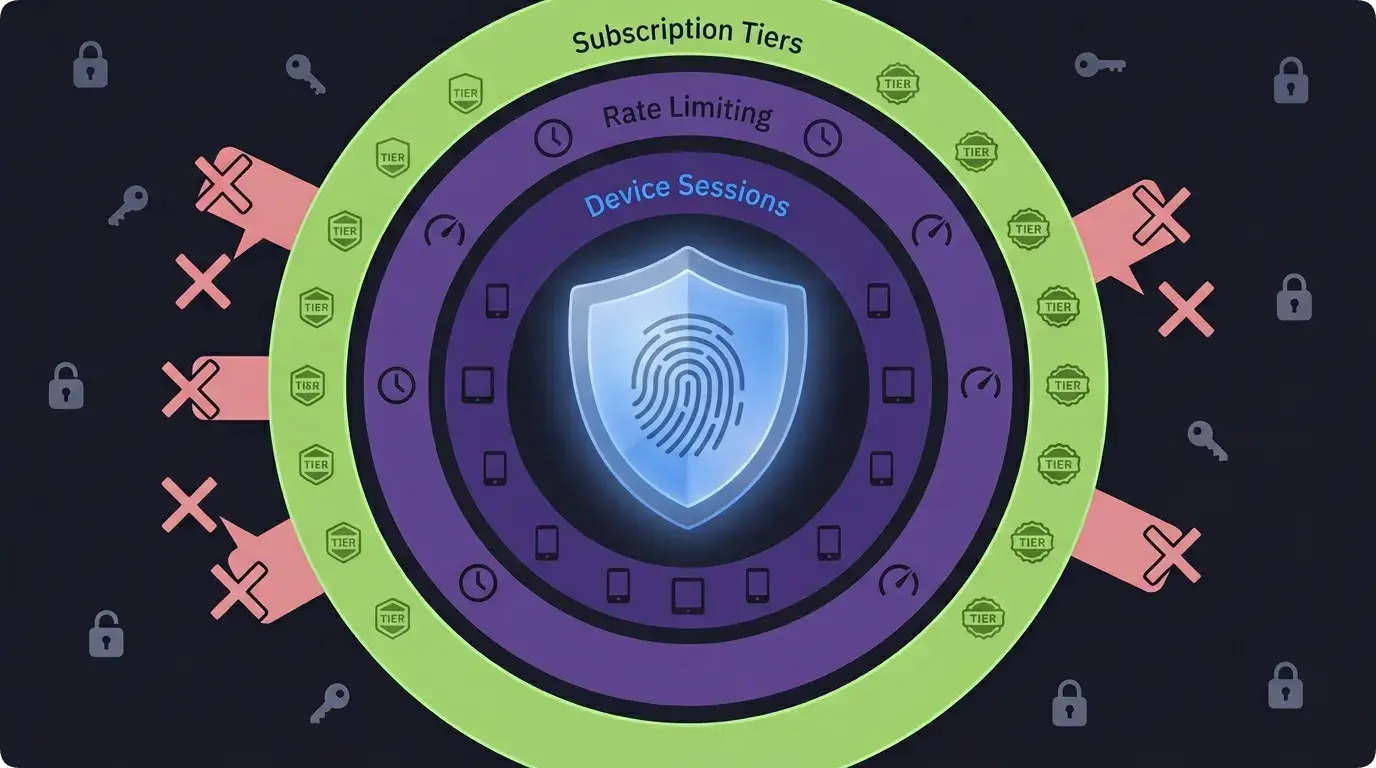
Let me walk you through how Lumo handles security, from device management to rate limiting to data privacy.
Device Sessions: The Approval Workflow
Most apps just… let you log in. Enter your email, enter your password, you’re in. Maybe there’s 2FA. But for a finance app where someone might check their budget on their phone, their tablet, and their partner’s phone? We need something more thoughtful.
Lumo uses a device session system. Every device that accesses your account gets its own session, and new devices require approval.
Here’s the flow:
- You log in on your phone (Device A). This becomes your primary device.
- You log in on a tablet (Device B). Instead of getting immediate access, Device B enters a “pending” state.
- Device A gets a push notification: “A new device wants to access your account. Approve or deny?”
- You tap Approve on Device A. Device B is now active.
If you tap Deny? Device B gets kicked out. And the attempt is logged in the security audit trail.
// Device session schema
deviceSessions: defineTable({
  userId: v.id("users"),
  deviceId: v.string(),           // Unique device fingerprint
  sessionToken: v.string(),       // Hashed session token
  status: v.union(
    v.literal("pending"),
    v.literal("active"),
    v.literal("revoked")
  ),
  deviceName: v.optional(v.string()),
  platform: v.optional(v.string()),
  lastSeen: v.string(),
  createdAt: v.string(),
})
The deviceId is a fingerprint generated from device characteristics — model, OS version, a random UUID stored in secure storage. It’s not perfect (factory resets generate a new ID), but it’s good enough to distinguish between devices.
The sessionToken is hashed and stored. The raw token lives on the device. Every API call includes this token for validation. If the token doesn’t match or the session is revoked, the request fails.
The Lost Phone Problem
Okay, but what if Device A — your primary device — gets lost? You can’t approve new devices if you can’t access the approving device.
Enter recovery codes. When you set up Lumo, the app generates a set of one-time recovery codes:
// Generate recovery codes during account setup
function generateRecoveryCodes(): string[] {
  const codes: string[] = [];
  for (let i = 0; i < 8; i++) {
    // 8-character alphanumeric codes
    codes.push(
      crypto.randomBytes(4).toString('hex').toUpperCase()
    );
  }
  return codes;
}
Eight codes. Write them down. Store them somewhere safe. If you lose all your devices, you can use a recovery code to authenticate a new device without the approval workflow.
Each code is one-time use. Use it, and it’s consumed. Run out of codes? Contact admin (me) for a manual device override — which is logged in the security events table for accountability.
Is this overkill for a personal finance tracker? Maybe. But when I think about someone losing their phone and panicking about their financial data being exposed, I’d rather be over-cautious.
Rate Limiting: The Three Layers
Rate limiting in Lumo works on three layers:
Layer 1: Global Rate Limits
Public endpoints — contact forms, waitlist signups, blog comments — have global rate limits. These prevent spam attacks that aren’t tied to any user:
// Global rate limits for public endpoints
const globalLimits = {
  "contact-form": {
    rate: 5,
    period: HOUR,
    capacity: 10
  },
  "feature-request": {
    rate: 3,
    period: HOUR,
    capacity: 5
  },
  "blog-comment": {
    rate: 10,
    period: HOUR,
    capacity: 20
  },
};
Using @convex-dev/rate-limiter, which integrates directly into Convex mutations. One line to check, one line to consume a token.
Layer 2: Per-User Rate Limits
Authenticated endpoints have per-user limits. This prevents a single user (or a compromised account) from hammering the API:
// Per-user limits for authenticated endpoints
const userLimits = {
  "add-transaction": {
    rate: 30,
    period: MINUTE,
    capacity: 60
  },
  "receipt-scan": {
    rate: 5,
    period: HOUR,
    capacity: 10
  },
  "prediction-refresh": {
    rate: 3,
    period: HOUR,
    capacity: 5
  },
};
30 transactions per minute might sound high, but CSV imports can add transactions in bulk. The receipt scan limit is tighter because each scan calls an external AI API (Google Gemini) that costs money.
Layer 3: Feature Usage Limits (Subscription Tiers)
This is where rate limiting meets business model. Free users get limited access to premium features:
// Feature limits per tier (stored in database, not hardcoded)
// Free tier example:
{
  "receipt-scans": { monthly: 5 },
  "prediction-refreshes": { monthly: 10 },
  "transactions": { monthly: 200 },
  "income-streams": { total: 2 },
  "loans": { total: 5 },
}

// Pro tier:
{
  "receipt-scans": { monthly: 50 },
  "prediction-refreshes": { monthly: 100 },
  "transactions": { monthly: -1 },  // unlimited
  "income-streams": { total: -1 },
  "loans": { total: -1 },
}
These limits are stored in the featureLimits table — not hardcoded. I can adjust limits without redeploying. Usage is tracked in a usageTracking table that resets monthly.
The check function:
async function checkFeatureAccess(
  ctx: QueryCtx,
  userId: Id<"users">,
  feature: string
): Promise<{ allowed: boolean; remaining: number }> {
  const tier = await getUserEffectiveTier(ctx, userId);
  const limits = await getFeatureLimits(ctx, tier, feature);
  const usage = await getCurrentUsage(ctx, userId, feature);

  if (limits.monthly === -1) {
    return { allowed: true, remaining: Infinity };
  }

  const remaining = limits.monthly - usage.count;
  return {
    allowed: remaining > 0,
    remaining: Math.max(0, remaining)
  };
}
When a user hits their limit, the mobile app shows a friendly message: “You’ve used all 5 receipt scans this month. Upgrade to Pro for 50 per month!” Not a hard error — a gentle upsell.
Subscription Management
Lumo has three tiers: Free, Pro, and Beta (a special tier for testers that unlocks everything).
New users get a 7-day trial of Pro features. After that, they drop to Free unless they upgrade. The trial system has its own set of quirks:
// Effective tier calculation with trial/promo overrides
async function getUserEffectiveTier(
  ctx: QueryCtx,
  userId: Id<"users">
): Promise<"free" | "pro" | "beta"> {
  const user = await ctx.db.get(userId);

  // Beta flag overrides everything
  if (user.isBeta) return "beta";

  // Check active subscription
  if (user.tier === "pro") return "pro";

  // Check trial period
  if (user.trialEndsAt && new Date(user.trialEndsAt) > new Date()) {
    return "pro";  // Trial gives Pro access
  }

  // Check promotional access
  if (user.promoEndsAt && new Date(user.promoEndsAt) > new Date()) {
    return "pro";
  }

  return "free";
}
The trial expiry is handled by a cron job that runs every hour. It checks users whose trial ended but haven’t been downgraded yet, updates their status, and sends a notification: “Your trial has ended. Upgrade to Pro to keep using all features!”
The cron caps at 100 users per run to avoid overloading the system. If 500 trials expire on the same day (unlikely but possible), it takes 5 hours to process them all. That’s acceptable — a few hours delay in downgrading isn’t going to hurt anyone.
Data Privacy: GDPR and the Right to Disappear
When a user wants to delete their account, everything goes. And I mean everything.
// Delete all user data — chunked for reliability
async function deleteAllUserData(
  ctx: MutationCtx,
  userId: Id<"users">
) {
  const CHUNK_SIZE = 50;

  // Tables to purge (in dependency order)
  const tables = [
    "loanTransactions",
    "loans",
    "paymentHistory",
    "incomeStreams",
    "transactions",
    "cycleSavings",
    "cycleState",
    "predictionCache",
    "notifications",
    "deviceSessions",
    "deviceSecurityEvents",
    "pushTokens",
    "usageTracking",
    "feedback",
    "onboarding",
  ];

  for (const table of tables) {
    let records;
    do {
      records = await ctx.db
        .query(table)
        .withIndex("by_user", (q) => q.eq("userId", userId))
        .take(CHUNK_SIZE);

      for (const record of records) {
        await ctx.db.delete(record._id);
      }
    } while (records.length === CHUNK_SIZE);
  }

  // Finally, delete the user record itself
  await ctx.db.delete(userId);
}
Chunked deletion — 50 records at a time — prevents Convex function timeouts. For a user with thousands of transactions, this might take a few mutation rounds, but it eventually gets everything.
The key here is the table ordering. Loan transactions before loans. Payment history before income streams. Delete the dependencies first, then the parents. Otherwise you get orphaned records.
After deletion, the user’s data is gone. Not soft-deleted. Not archived. Gone. Because that’s what “delete my data” should mean.
The Security Audit Trail
Every security-relevant action is logged:
deviceSecurityEvents: defineTable({
  userId: v.id("users"),
  eventType: v.string(),  // "device_approved", "device_denied",
                           // "recovery_code_used", "admin_override"
  deviceId: v.optional(v.string()),
  metadata: v.optional(v.string()),
  timestamp: v.string(),
  source: v.string(),      // "user", "admin", "system"
})
This gives me a timeline: when was a device added? Who approved it? Was a recovery code used? Did an admin override a session? Everything is traceable.
The admin dashboard has a dedicated page for viewing these events, filtered by user. When someone reports suspicious activity, I can pull up the full timeline of what happened and when.
What Keeps Me Up at Night
Despite all these measures, security is never “done.” Here are things I still worry about:
Token theft: If someone extracts the session token from a device’s secure storage, they can impersonate that device. Mitigated by the heartbeat system (inactive tokens expire) but not eliminated.
JavaScript numbers for money: I’m using
float64for financial amounts. Yes, I know about floating-point precision issues. For a budgeting app where we’re dealing with dollars and cents (not fractional pennies), it hasn’t been a problem. But it’s a ticking time bomb I should address with integer cents or a decimal library.No end-to-end encryption: Financial data is encrypted in transit (HTTPS) and at rest (Convex’s infrastructure), but I can see it in the admin dashboard. True E2E encryption would prevent even me from reading user data. It’s on the roadmap, but it adds significant complexity.
Rate limit bypass: Sophisticated attackers could create multiple accounts to bypass per-user limits. For a personal finance app with no payment processing, the attack surface is low, but it’s not zero.
Security is a spectrum, not a checkbox. Every measure I’ve built is “good enough for now” — but the definition of “good enough” keeps changing as the stakes get higher.
Final Thoughts
Building security for a finance app taught me that trust is your product. Users don’t just trust your app to be functional — they trust it to be safe. Every decision, from the device approval workflow to the data deletion process, is a trust-building exercise.
The unglamorous truth is that most of this work is invisible. Users never see the rate limiter. They never think about the security audit trail. They never appreciate the chunked deletion logic. But they feel the safety. They feel comfortable entering their salary. They feel okay recording their loan to a friend. And that feeling? That’s the product.
Next up — the final post in this series: what I learned from building Lumo, the mistakes I’d avoid next time, and what’s coming next for the project.
Until then, hash your tokens and limit your rates, nerds. 🔒
Discussion
Share your thoughts and engage with the community